Odoo in practice: commerce, finance and service
What we built for ENGWE Spain and OneRide: an Odoo online store, PrestaShop integration, payment reconciliation, AI assistance and connected customer operations.
Acelero
June 2, 2026 · 7 min read
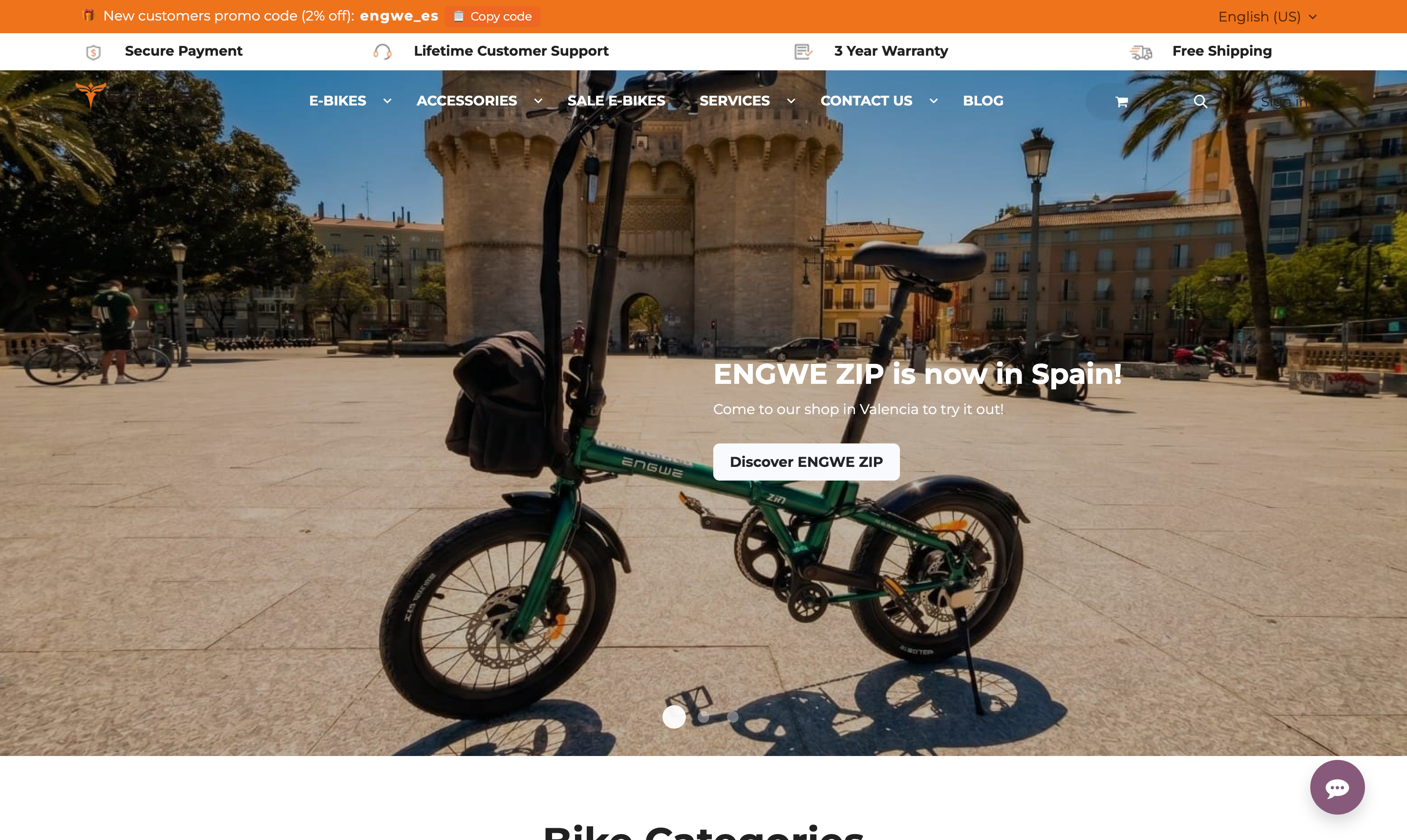
For ENGWE Spain, we built a website and online store on Odoo, with connected sales, inventory, customer support and workshop processes. For OneRide, we integrated its PrestaShop store with Odoo so products, stock, orders and payment data move through a connected commercial workflow.
The work extends into finance: matching provider payouts to sales, processing supplier invoices and turning Odoo data into management reports. Each implementation starts with the business process and connects the systems, documents and people involved in carrying it through.
Here is what we built, how the main workflows fit together and what the teams can do with them.
Planning an Odoo implementation or connecting an existing store? Tell us about your systems and the workflow you want to improve.
| Business process | Implemented scope |
|---|---|
| ENGWE Spain commerce | Odoo website, catalogue, checkout, payments, stock and order processing |
| OneRide commerce | PrestaShop connected to Odoo for products, inventory, orders and payment data |
| Finance | Provider payouts, fees, invoice processing and management reports |
| Customer operations | AI enquiries, CRM and Helpdesk handoff, warranty handling and workshop service |
The foundation: business rules carried through the workflow
Connecting a storefront to an ERP means carrying the meaning of the transaction into the next system. An order needs the right product, quantity, customer reference, tax treatment and currency. Its documents need the appropriate brand and issuing company.
We configured company-specific accounting and document rules, and developed the integration checks needed to preserve that context. This gives sales, support and finance a connected set of records to work with, while keeping each company's books and journals distinct.
ENGWE Spain: a website and online store built on Odoo
For ENGWE Spain, we built a website and online store on Odoo 18. The implementation covers the product catalogue and variants, checkout, payments, stock and order processing. We configured the e-commerce and ERP workflows and added integrations and custom development around the business.
A purchase on the website becomes part of the team's work in Odoo. The order connects to the payment, the movement of stock and the customer record. Staff can continue into fulfilment and after-sales service with the commercial context already available.
The connected process: product selection → checkout → Odoo order → payment and stock handling → customer service.
OneRide: PrestaShop and Odoo for sales and inventory
For OneRide, we connected the PrestaShop store with Odoo to bring sales and inventory into one working process. The integration covers products, stock levels, orders and payment data. Store orders flow into Odoo for processing, while stock levels synchronise with the storefront.
We configured and extended the data exchange, added status checks and monitored synchronisation. The work includes preserving original order references and handling the tax, currency and payment context needed when storefront data becomes an Odoo order.
This connection supports the store's daily operations, from checkout to order processing and inventory tracking. The next stage is the full migration of the online store to Odoo.
Warranty service: a separate Helpdesk workflow
For OneRide's warranty service, we set up a workflow for receiving and handling claims in Odoo Helpdesk. We migrated 139 tickets with their fields, messages and attachments, and launched a dedicated intake form. Staff gained a connected support process with structured service history available when working on a claim.
Payment reconciliation: connect the sale to the bank settlement
For e-commerce finance operations, we developed payment reconciliation in Odoo, connecting the order and customer payment to the provider payout and bank settlement. Integrations include payment paths through Stripe, PayPal, Klarna and Revolut.
We linked provider data to orders and invoices, configured fee handling and payout matching, and built an accountant review workflow. The process keeps the customer payment, provider fee and bank payout as distinct but connected records, with company and currency context preserved.
The finance team can see the components of each processed payout and investigate a reconciliation question in the context of the sale. A combined transfer can be traced back through its constituent transactions and the documents they relate to.
ENGWE Spain: AI enquiries connected to CRM and Helpdesk
For ENGWE Spain, we built an AI assistant for customer enquiries and their handoff into Odoo workflows. We connected the chat to the product catalogue, knowledge base, CRM and Helpdesk.
The assistant retrieves commercial information, helps with product selection, supports creating leads and tickets, and hands conversations to staff. Business rules govern the actions it can take and the context needed for those actions.
The team can continue working on the enquiry in Odoo, from the website question to the next sales or service action. The practical result is a path from a product conversation to an operational record and the person responsible for following it up.
We also developed WhatsApp and Telegram inbox workflows in Odoo, with customer matching, searchable conversation history, approved-template reopening and out-of-hours replies to support the work of human operators.
ENGWE Spain: workshop service from intake to collection
For the ENGWE Spain workshop, we implemented an Odoo service workflow from bicycle intake to collection: condition records, service terms, diagnosis, repair decisions and billing.
We linked repairs to sales and invoices, configured staff roles, added a diagnostic fee credit and created a bilingual completion PDF. The service record brings together what arrived at the workshop, what the customer agreed to, the work performed and the related financial documents.
The workshop gained a consistent path through each service order. Staff can follow the case from the initial assessment through the repair decision and invoice to the handover documentation.
AI-assisted invoices: from an incoming PDF to an Odoo vendor bill
We designed and implemented an AI-assisted invoice workflow, from receiving a document to creating a vendor bill in Odoo. We connected Gmail, Telegram and Google Drive with extraction of supplier details, line items, taxes and advance payments from PDFs.
We configured document creation and processing logs around the extraction step. The finance team gained a connected path from the source invoice to structured Odoo data, with a record of the document's progress through the system.
This implementation brought document intake, information extraction and accounting document creation into a defined sequence that the team could follow.
Management reporting: sales, costs and expenses from Odoo
For management analysis, we developed Odoo reporting that brings together sales, cost and expense data across several businesses. We configured data selection and calculation rules for intercompany transactions, currencies, units of measure and rental operations.
We added weekly, monthly, quarterly and annual periods, a one-page PDF and Telegram delivery. Management gets comparable figures for the selected period in a compact format for regular business review.
The reporting work connects the underlying accounting and operational rules to the figures a manager uses: which sales belong in the period, how costs are treated and how activity across companies is presented.
Need help with this?
We build production Odoo and AI automation for EU businesses. Let's talk about your project.